


Createspace Independent Publishing Platform
Help Me! Guide to the Galaxy S5: Step-by-Step User Guide for the Fifth Generation Galaxy S and Kit Kat
$14.92

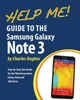
Need help with Samsung's Third Generation Galaxy Note? With countless new features, such as S Pen multitasking, the new S Finder, voice control, and windowed calling that prevents you from being interrupted while using another application, you cannot afford to miss a single one. The Help Me Guide to the Note 3 gathers all of the available information regarding the Note 3 into a single guide, where it can be easily accessed for quick reference. There is no fancy jargon and every instruction is explained in great detail, which is perfect for beginners. In addition, this guide expands on the basics by discussing useful tips that are excellent for more advanced users.
The level of detail in each chapter sets this guide apart from all of the rest. Countless screenshots complement the step-by-step instructions and help you to realize the Note 3's full potential. The useful information provided here is not discussed in the official Note 3 manual, such as tips and tricks, hidden features, and troubleshooting advice. This guide also goes above and beyond by discussing recent known issues and solutions that may be currently available. Help is here!
Here are just a few of the topics covered in this Guide:
- Organizing Home Screen Objects| Author: Charles Hughes |
| Publisher: Createspace Independent Publishing Platform |
| Publication Date: Apr 06, 2014 |
| Number of Pages: 334 pages |
| Binding: Paperback or Softback |
| ISBN-10: 1497565537 |
| ISBN-13: 9781497565531 |
Createspace Independent Publishing Platform

Createspace Independent Publishing Platform

