Packt Publishing
Inkscape Beginner's Guide: Create attractive layout designs, logos, brochures, icons, and more using the Inkscape vector graphics editor with thi
Product Code:
9781849517201
ISBN13:
9781849517201
Condition:
New
$45.03
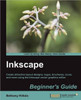
Inkscape Beginner's Guide: Create attractive layout designs, logos, brochures, icons, and more using the Inkscape vector graphics editor with thi
$45.03
Create attractive layout designs, logos, brochures, icons, and more using the Inkscape vector graphics editor with this book and ebook.
Key Features
- Comprehensive coverage of all aspects of Inkscape required for graphic design
- Real world examples show you how to create everything from paths, complex shapes, to stylized text
- Become an expert at using filters and working with images in Inkscape
Book Description
Learning to use Inkscape, an exciting open-source vector graphics program, broadens your software toolkit as a graphic designer. Using practical, real-world examples, you'll learn everything about the software and its capabilities so you'll be able to design anything from logos to websites.
Inkscape Beginner's Guide is a practical step-by-step guide for learning this exciting vector graphics software. Not only will it take you through each menu item and toolbar, but you will also learn about creating complex shapes, text styling, filters, working with images, extensions, and the XML editor - all using real world examples.
The book starts with an overview of vector graphics and how best to use them when designing for digital and print mediums. Then we install Inkscape and start learning all the ins and outs of the software.
You'll build your first vector graphic while learning best practices for using layers, and build simple and complex objects with shapes and paths that will ultimately become exciting graphics to be used in your designs.
Beyond designing sample logos and brochures while learning the software, you'll also learn how to use filters, install and use extensions, and the ins-and-outs of SVG and the XML Editor in Inkscape.
What you will learn
- Explore Inkscape by taking a tour of the software: menu by menu, toolbar by toolbar
- A primer for what vector graphics are and how best they are used in design
- Manage project files and discover what file types work best in Inkscape
- Build your first vector graphic in Inkscape - and then make that simple shape more complex by combining it with others, and changing fill or stroke colors
- Transform objects to paths, use stroke to paths, and even track bitmaps using the Path Effect editor
- Make 2D graphics come to life by using filters
- Import, render, and trace images. Raster images to vector, and learn how to export these images for best use in print or digital design
- Explore what templates and extensions to add to Inkscape and install other Open Source plugins, scripts, extensions, and templates.
| Author: Bethany Hiitola |
| Publisher: Packt Publishing |
| Publication Date: May 18, 2012 |
| Number of Pages: 298 pages |
| Binding: Paperback or Softback |
| ISBN-10: 1849517207 |
| ISBN-13: 9781849517201 |
Related Products
Sale 2%